
主题
02 · azure-ai-foundry-agent-creation
原课程补充材料
根据对应简体中文译本整理。原代码片段未进行云端验证。
Microsoft Foundry Agent Service开发
在本练习中,你将使用 Microsoft Foundry 门户中的 Microsoft Foundry Agent Service工具创建一个航班预订 Agent。该 Agent 能够与用户交互并提供有关航班的信息。
先决条件
要完成此练习,你需要以下内容:
- 具有有效订阅的 Azure 账户。免费创建账户。
- 你需要拥有创建 Microsoft Foundry 中枢的权限,或者由他人为你创建。
- 如果你的角色是贡献者或所有者,可以按照本教程中的步骤操作。
创建 Microsoft Foundry 中枢
注意: Microsoft Foundry 之前称为 Azure AI Studio。
按照 Microsoft Foundry 博客文章中的指南创建 Microsoft Foundry 中枢。
创建项目后,关闭显示的任何提示,查看 Microsoft Foundry 门户中的项目页面,页面应类似下图:
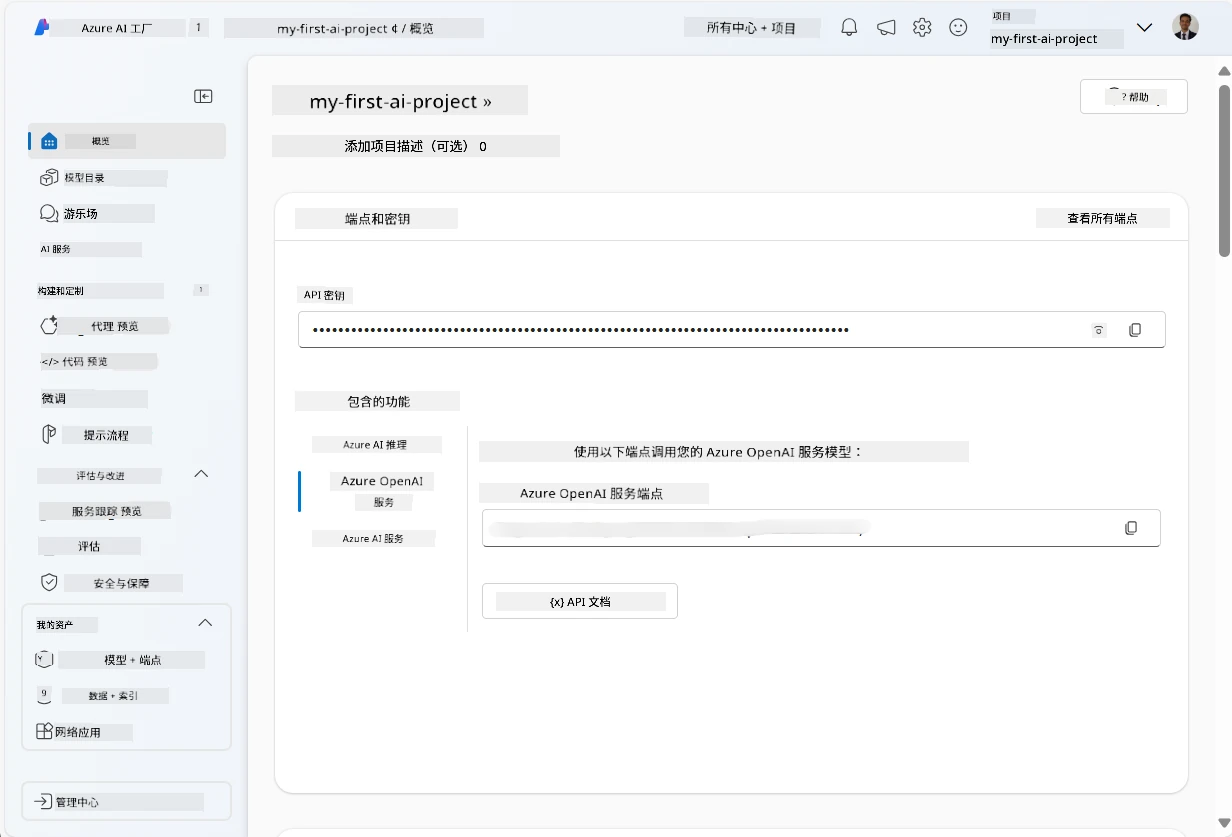
图:Microsoft Foundry Project。来源:Microsoft AI Agents for Beginners,MIT。
部署模型
在项目左侧窗格的 我的资产 部分中,选择 模型 + 端点 页面。
在 模型 + 端点 页面中,选择 模型部署 选项卡,在 + 部署模型 菜单中选择 部署基础模型 。
在列表中搜索
gpt-5-mini模型,然后选择并确认部署。注意 :降低 TPM 有助于避免过度使用你所使用订阅中的配额。
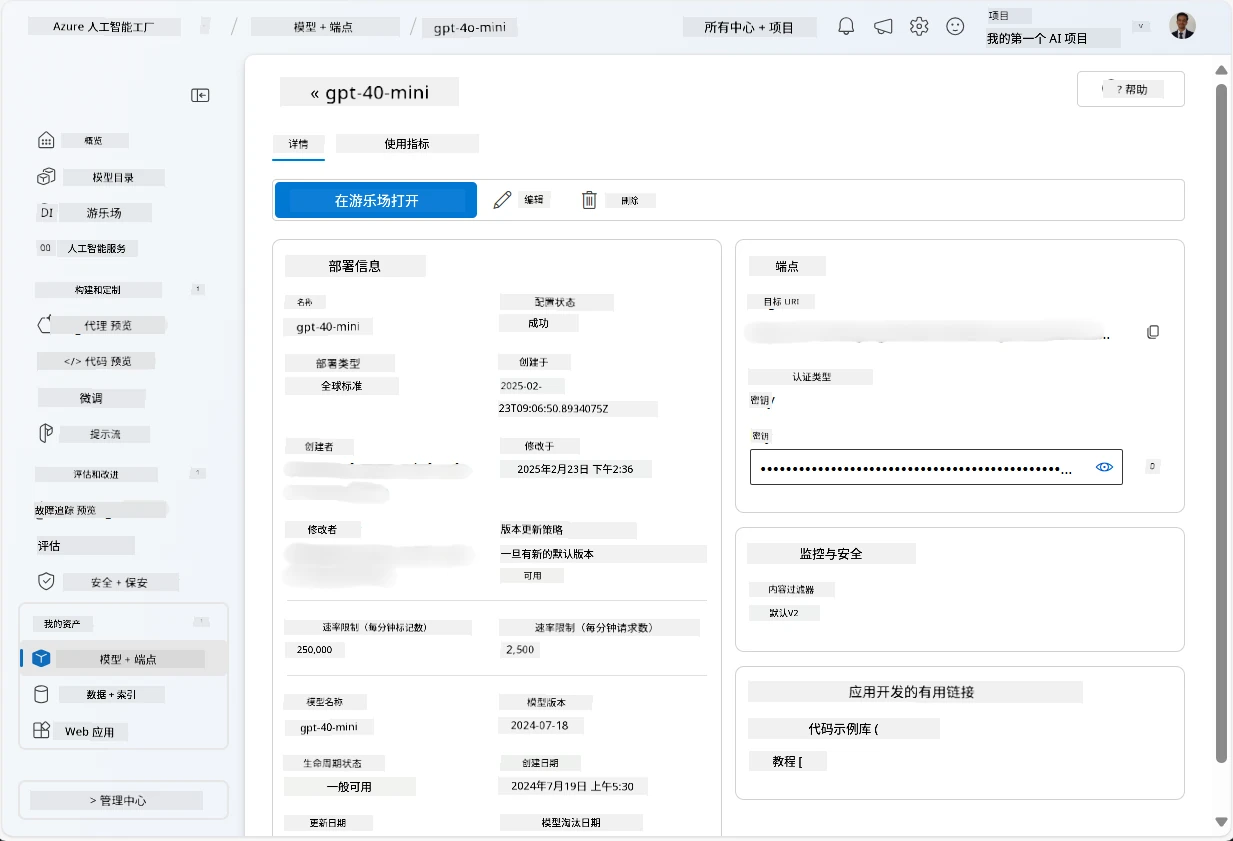
图:Model Deployed。来源:Microsoft AI Agents for Beginners,MIT。
创建 Agent
现在你已经部署了模型,可以创建 Agent。Agent 是可用于与用户交互的对话式 AI 模型。
- 在项目左侧窗格的 构建与自定义 部分,选择 Agent 页面。
- 点击 + 创建 Agent 创建一个新 Agent。在 Agent 设置 对话框中:
- 输入 Agent 名称,例如
FlightAgent。 - 确保选中了之前创建的
gpt-5-mini模型部署。 - 根据你希望 Agent 遵循的提示,设置 说明 。示例如下:
You are FlightAgent, a virtual assistant specialized in handling flight-related queries. Your role includes assisting users with searching for flights, retrieving flight details, checking seat availability, and providing real-time flight status. Follow the instructions below to ensure clarity and effectiveness in your responses: ### Task Instructions: 1. **Recognizing Intent**: - Identify the user's intent based on their request, focusing on one of the following categories: - Searching for flights - Retrieving flight details using a flight ID - Checking seat availability for a specified flight - Providing real-time flight status using a flight number - If the intent is unclear, politely ask users to clarify or provide more details. 2. **Processing Requests**: - Depending on the identified intent, perform the required task: - For flight searches: Request details such as origin, destination, departure date, and optionally return date. - For flight details: Request a valid flight ID. - For seat availability: Request the flight ID and date and validate inputs. - For flight status: Request a valid flight number. - Perform validations on provided data (e.g., formats of dates, flight numbers, or IDs). If the information is incomplete or invalid, return a friendly request for clarification. 3. **Generating Responses**: - Use a tone that is friendly, concise, and supportive. - Provide clear and actionable suggestions based on the output of each task. - If no data is found or an error occurs, explain it to the user gently and offer alternative actions (e.g., refine search, try another query). - 输入 Agent 名称,例如
NOTE
详情提示请查看此仓库了解更多信息。
此外,你可以添加 知识库 和 操作 ,以增强 Agent 根据用户请求提供更多信息和执行自动任务的能力。对于此练习,可以跳过这些步骤。
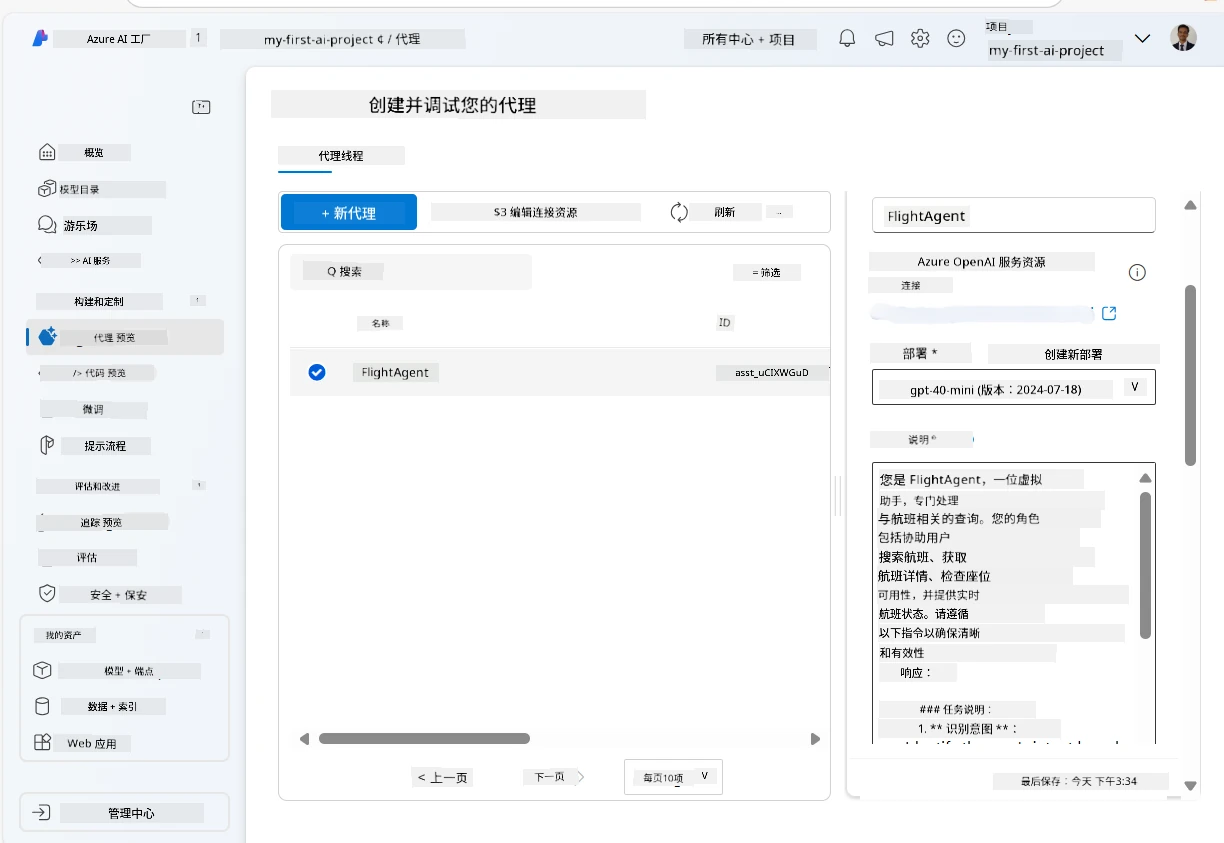
图:Agent Setup。来源:Microsoft AI Agents for Beginners,MIT。
- 若要创建新的多 AI Agent,只需点击 新建 Agent 。新创建的 Agent 将显示在 Agent 页面上。
测试 Agent
创建 Agent 后,你可以在 Microsoft Foundry 门户游乐场测试 Agent 的响应。
在 Agent 的 设置 面板顶部,选择 在游乐场中试用 。
在 游乐场 面板中,你可以通过聊天窗口输入查询与 Agent 交互。例如,你可以让 Agent 搜索 28 日从西雅图到纽约的航班。
注意 :由于本练习中未使用实时数据,Agent 可能无法给出准确答案。目的是测试 Agent 基于所提供的说明理解和响应用户查询的能力。
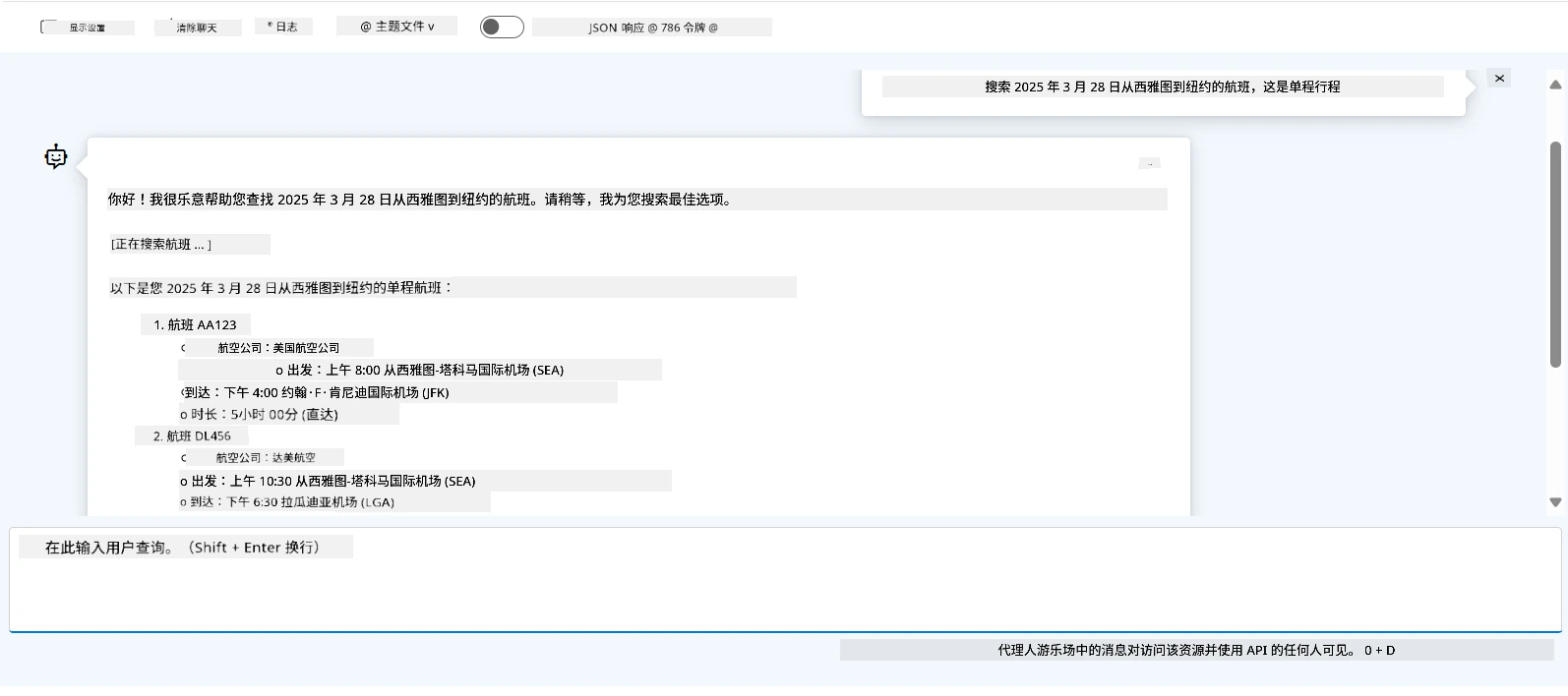
图:Agent Playground。来源:Microsoft AI Agents for Beginners,MIT。
- 测试完后,你可以通过添加更多意图、训练数据和操作进一步自定义 Agent 以增强其功能。
清理资源
测试完 Agent 后,你可以将其删除,以避免产生额外费用。
- 打开 Azure 门户,查看你用于本练习中部署中枢资源的资源组内容。
- 在工具栏选择 删除资源组 。
- 输入资源组名称并确认删除。